- Bonnie Brook, Victoria, Australia
- support@tgsitsolutions.com.au




-
Opening Hour Mon - Fri 8:30 - 4:30, Sat-Sun - CLOSED

Onsite vs Remote – IT Support for Melbourne Business: Which is Better?


Onsite vs Remote – IT Support for Melbourne Business: Which is Better?
 By
TGS IT Solutions
By
TGS IT Solutions
Technology problems don’t always happen in the same way.
One employee might need help resetting a password. Another might have trouble connecting to Microsoft 365. Meanwhile, a failed network switch could leave an entire office without internet access.
Some of these problems can be solved remotely within minutes. Others require an IT technician physically onsite.
This leads to an important question for many Australian businesses:
Onsite vs Remote – IT Support for Melbourne Business: Which Is Better?
For most organisations, the answer isn’t choosing one over the other. The best IT support model combines fast remote assistance with onsite technical support when the situation requires it.
Here’s how each approach works and how to determine what’s right for your business.
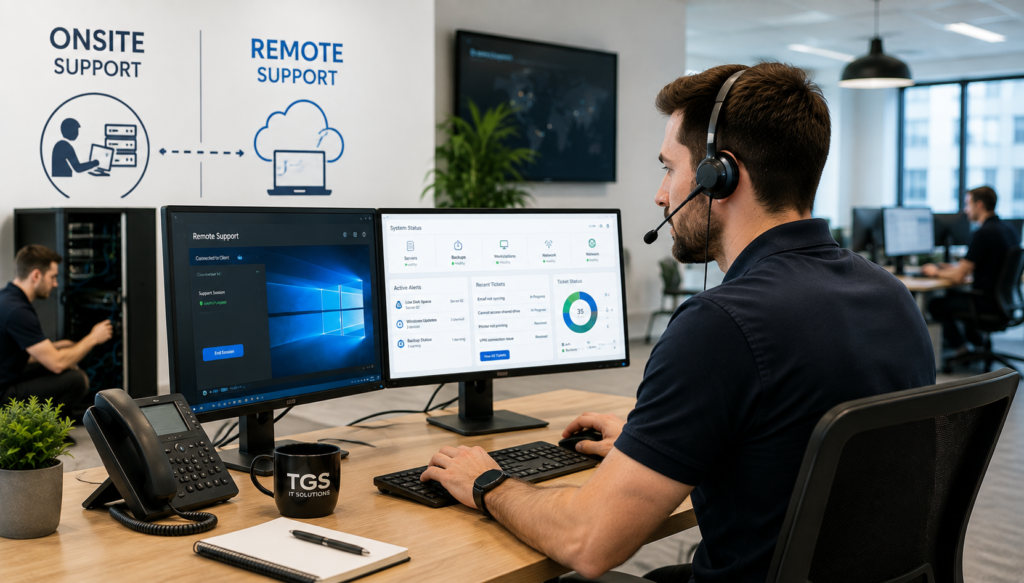
What Is Remote IT Support?
Remote IT support allows a technician to assist users and manage systems without physically visiting your workplace.
Using secure remote support tools, technicians can troubleshoot computers, configure software, investigate errors and perform many administrative tasks from another location.
Remote support is particularly effective for common IT problems such as:
- Password and account issues
- Microsoft 365 problems
- Email configuration
- Software errors
- Printer configuration
- Application troubleshooting
- Device performance issues
- User access and permissions
- Security alerts
- Software installation
Because a technician doesn’t need to travel to your location, support can often begin much faster.
For businesses using Managed IT Services in Melbourne, remote support can form an important part of the day-to-day helpdesk experience.
What Are the Benefits of Remote IT Support?
Faster Response
When an employee needs assistance, waiting for someone to drive across Melbourne isn’t always practical.
Remote support allows a technician to begin investigating almost immediately.
For something like a Microsoft 365 login problem, the issue could potentially be resolved before an onsite technician would even arrive.
Lower Support Costs
Travelling between customer locations requires time and resources.
Resolving appropriate issues remotely can reduce these costs while allowing technicians to support more customers efficiently.
Convenient for Employees
Staff don’t need to wait for someone to physically arrive.
A technician can connect securely to the affected device, investigate the problem and guide the employee through the solution.
Ideal for Businesses with Multiple Locations
Remote support becomes particularly valuable when a business operates from multiple offices or has employees working from home.
Your IT provider can provide consistent support regardless of where employees are working.
What Is Onsite IT Support?
Onsite IT support means an IT technician physically attends your workplace to troubleshoot, install, repair or maintain technology.
While many software problems can be handled remotely, there are situations where having someone onsite is essential.
Examples include:
- Network equipment failures
- Server hardware problems
- Wi-Fi installation
- Network cabling
- New workstation deployments
- Printer hardware issues
- Office relocations
- Firewall installation
- Switch configuration
- Physical equipment replacement
An onsite technician can inspect the physical environment and identify problems that may be difficult to diagnose remotely.
When Is Onsite Support the Better Option?
Consider a business experiencing unreliable Wi-Fi.
A technician working remotely might be able to review network configuration and check the status of access points.
However, diagnosing the underlying problem may require physically inspecting access point placement, network cabling, switches and environmental factors.
The same applies to server or network hardware failures.
If a network switch fails completely, remote access won’t help—the hardware needs to be physically inspected or replaced.
Onsite IT support is therefore an important part of a complete Business IT Support strategy.
Do Small Businesses Need a Full-Time Onsite IT Person?
Not necessarily.
For many small and medium-sized businesses, employing a dedicated IT professional may not be financially practical.
There’s also another challenge.
One internal IT employee needs to understand networking, cybersecurity, Microsoft 365, servers, cloud services, backups, hardware and user support.
That’s a very broad range of expertise for one person.
Working with a Managed Service Provider gives businesses access to a wider technical team while still providing onsite assistance when required.
This can be particularly valuable for growing businesses that need professional IT support but aren’t ready to build an internal IT department.
Why a Hybrid IT Support Model Often Works Best
For many Melbourne businesses, the most effective solution is a combination of remote and onsite support.
Think of remote support as the first response.
When an employee reports an issue, the helpdesk can immediately investigate.
If the problem can be resolved remotely, there’s no need to schedule an onsite visit.
If the technician determines that physical intervention is required, the issue can then be escalated to onsite support.
A typical workflow might look like this:
Employee reports an IT problem
↓
Helpdesk investigates remotely
↓
Problem identified
↓
Remote fix available?
If yes → resolve remotely.
If no → arrange onsite technician.
This model provides the speed of remote support while maintaining the flexibility of having someone physically available when required.
What About Cybersecurity and Remote Support?
Businesses should always consider security when allowing remote access to their devices.
A professional Managed Service Provider should use secure remote management tools and appropriate access controls.
Businesses should also implement security measures such as:
- Multi-Factor Authentication
- Endpoint protection
- Strong administrator controls
- Regular security updates
- Device monitoring
- Secure user access policies
- Backup and Disaster Recovery
Remote support should improve your security—not weaken it.
Your IT provider should be able to explain how remote access is secured and how technician access to customer environments is managed.
What Should You Ask an IT Provider?
Before choosing an IT Support Melbourne provider, ask how their remote and onsite services work.
Useful questions include:
- Is remote helpdesk support included?
- Is onsite support available?
- How quickly can someone attend onsite?
- Are onsite visits included or charged separately?
- What remote monitoring tools are used?
- How is remote access secured?
- What happens if an issue can’t be fixed remotely?
- Do you support multiple office locations?
- Can you assist employees working from home?
You should clearly understand what’s included before entering a Managed IT Services agreement.
How Managed IT Services Go Beyond Helpdesk Support
Good IT support isn’t simply about having someone available when something breaks.
A proactive Managed Service Provider should also help prevent problems.
That can include:
- Monitoring computers and servers
- Managing Microsoft 365
- Installing security updates
- Monitoring backups
- Managing endpoint security
- Maintaining networks
- Reviewing system performance
- Planning technology upgrades
For example, monitoring software might detect that a server is running low on storage.
Instead of waiting until the server stops working and employees start calling the helpdesk, your IT provider can investigate and address the problem beforehand.
That’s the difference between reactive IT support and proactive managed IT services.
Choosing the Right IT Support Model for Your Business
There’s no single IT support model that suits every organisation.
A small professional services firm primarily using Microsoft 365 and cloud applications may have most issues resolved remotely.
A manufacturing business with servers, specialised equipment and extensive networking infrastructure may require more regular onsite support.
A school may need a combination of remote administration and onsite assistance for devices, networking, classroom technology and infrastructure.
The right solution depends on:
- Number of employees
- Number of locations
- IT infrastructure
- Cloud usage
- Cybersecurity requirements
- Business operating hours
- Internal IT capabilities
- Dependence on technology
A good MSP should understand these requirements before recommending a support model.
Get the Best of Remote and Onsite IT Support with TGS IT Solutions
You shouldn’t have to choose between fast remote assistance and reliable onsite support.
At TGS IT Solutions, we provide Managed IT Services for businesses and schools across Melbourne and Victoria, combining responsive helpdesk support with onsite technical expertise when it’s needed.
Our services include:
- Remote Helpdesk Support
- Onsite IT Support
- Microsoft 365 Management
- Network Support
- Cybersecurity
- Backup & Disaster Recovery
- Cloud Solutions
- IT Consulting
- Infrastructure Projects
Whether an employee needs quick help with their computer or your organisation needs assistance with servers, networking or infrastructure, our goal is to provide practical support without unnecessary complexity.
Not sure what type of IT support your business actually needs?
Contact TGS IT Solutions for a free IT consultation. We’ll review your current environment and help you determine the right combination of remote, onsite and proactive managed IT support for your organisation.